Skip to content
Guia

Guia de utilização

Primeiros passos

Passo 1

Posicione o radar
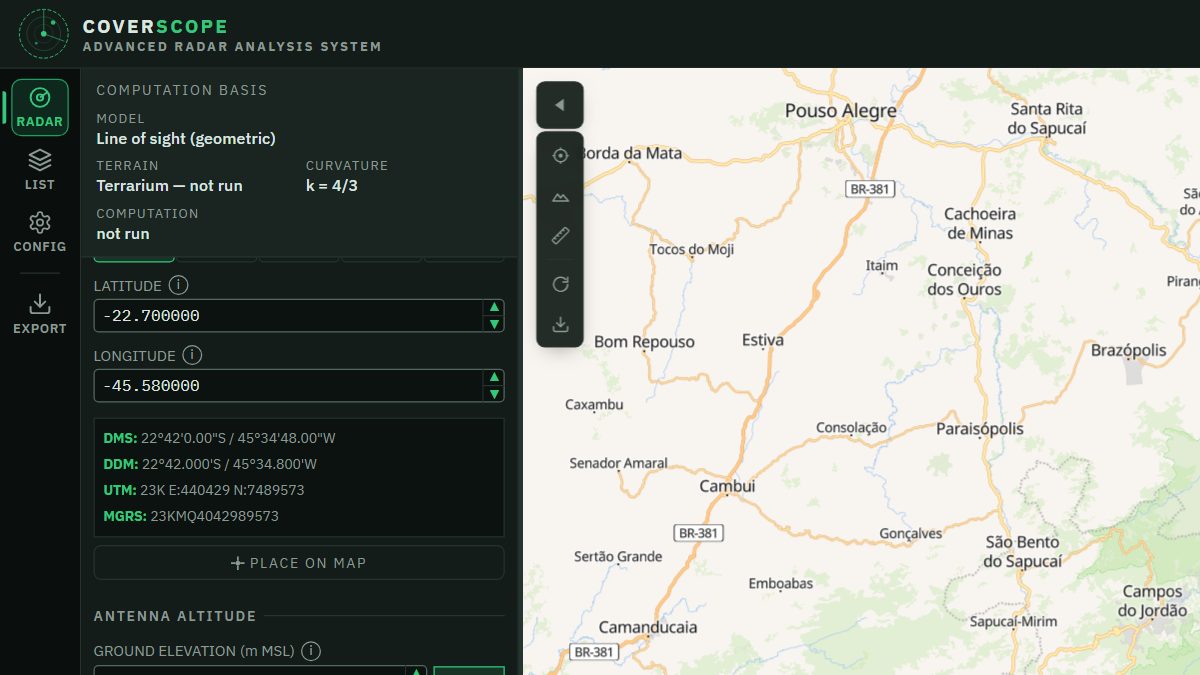
CoverScope screen: position panel with the decimal coordinate and its DMS, DDM, UTM and MGRS conversions
Passo 2

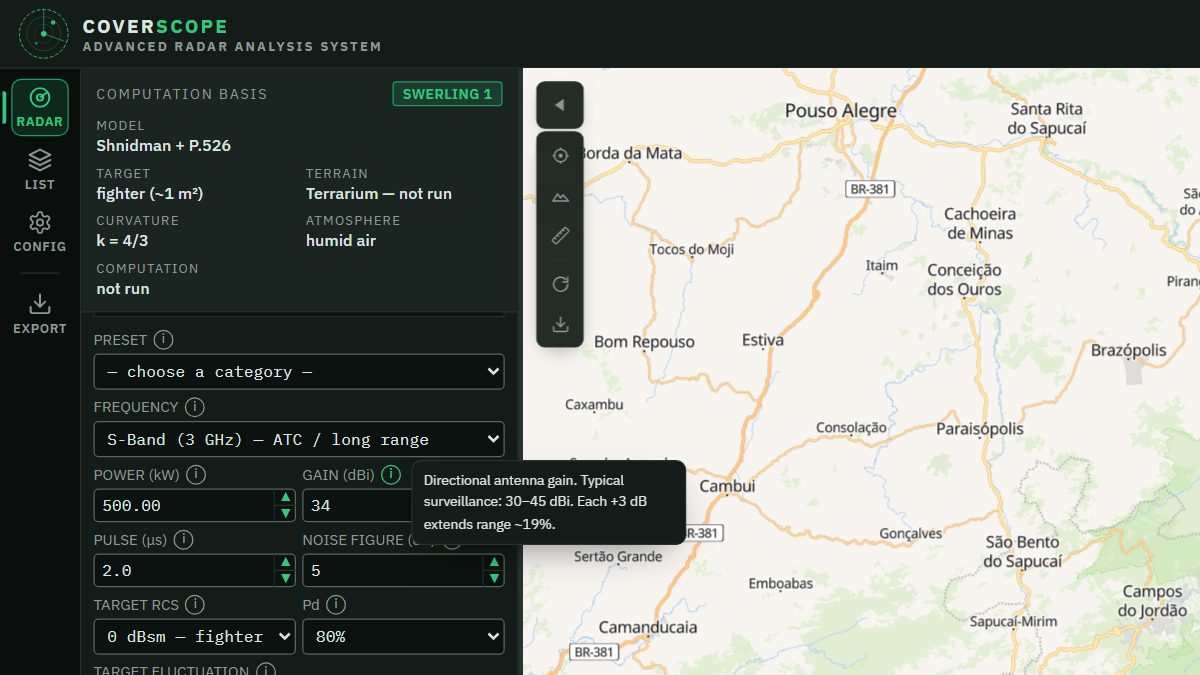
Configure os parâmetros

CoverScope screen: RF parameters with the Gain field hint open
Passo 3

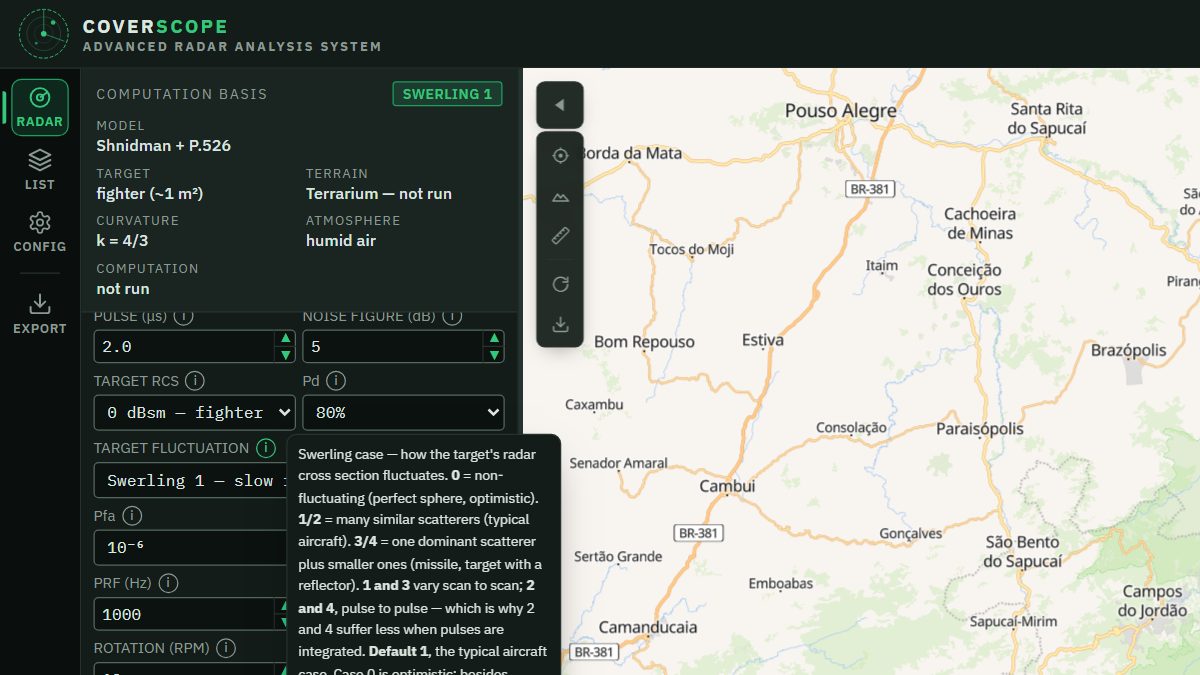
Defina alvo e ambiente

CoverScope screen: target RCS, Pd and Swerling fluctuation with its explanation open
Passo 4

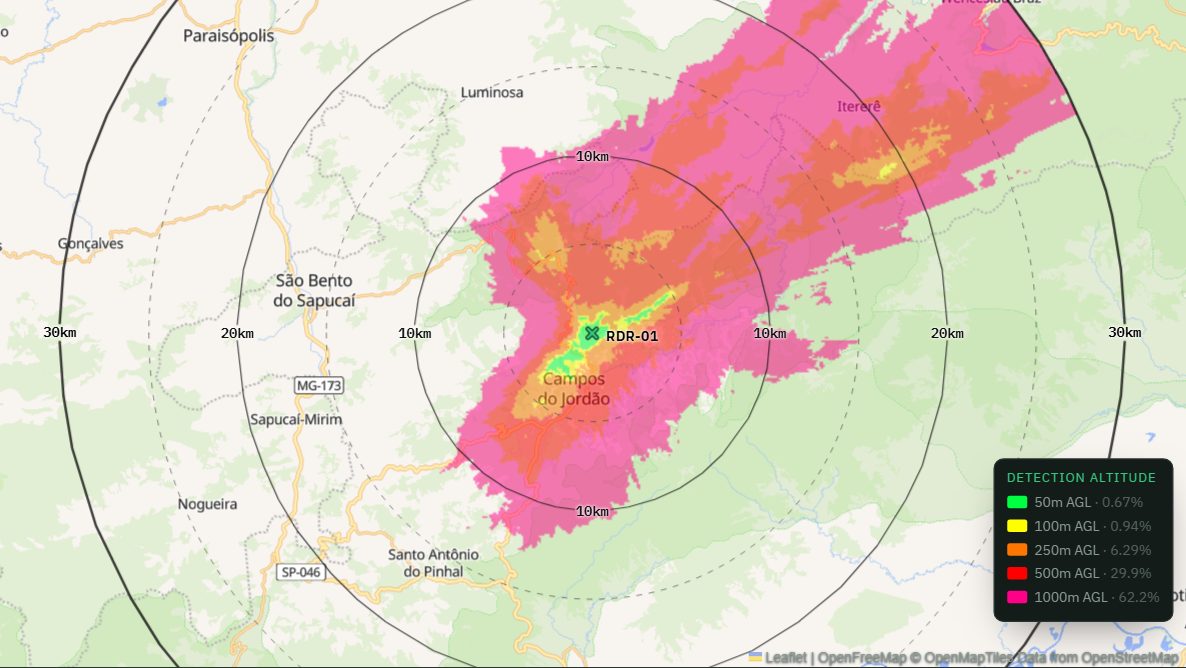
Leia a cobertura

CoverScope screen: coverage by altitude layer over the terrain, with range rings and legend
Passo 5

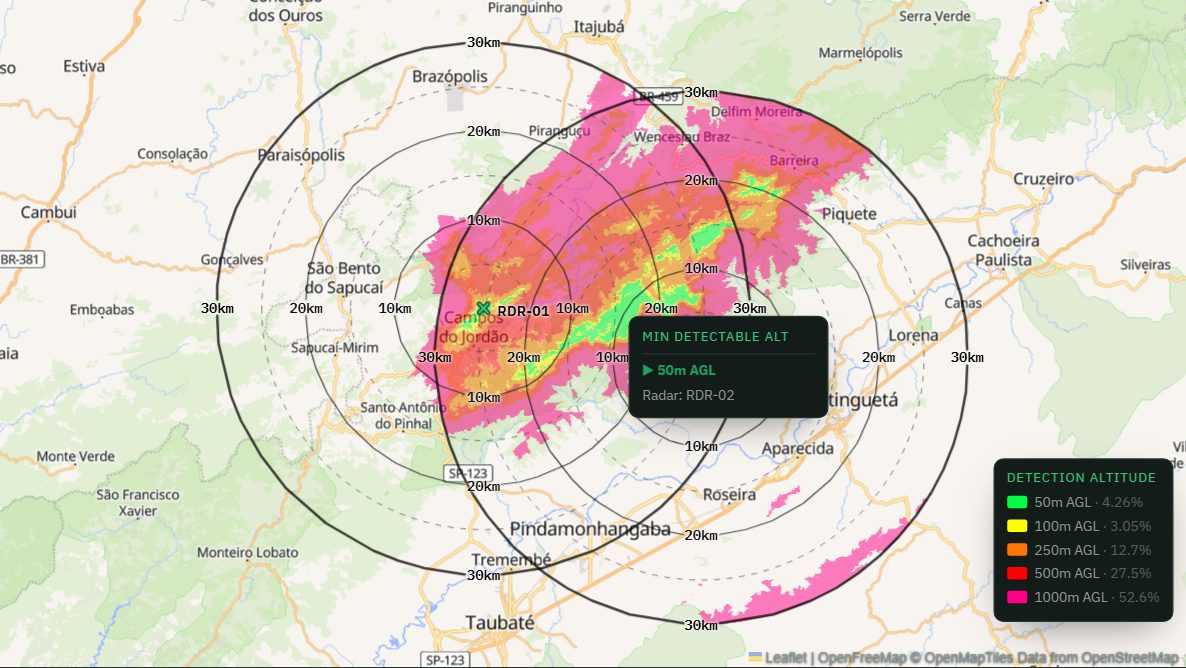
Monte a rede de radares

CoverScope screen: two radars with combined coverage and the cursor showing which radar serves the point
Passo 6

Exporte

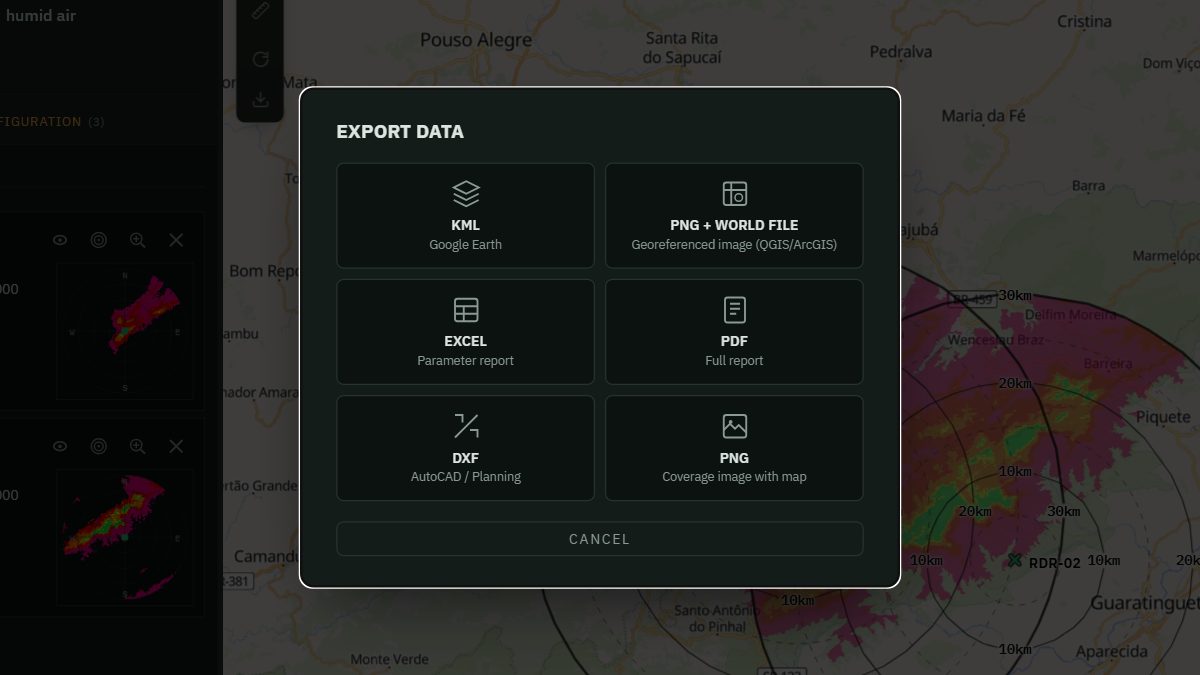
CoverScope screen: export window with KML, georeferenced PNG, Excel, PDF, DXF and PNG

Perguntas frequentes

O que a simulação calcula?

Qual é a precisão?

O que é "altura mínima de detecção"?

O que significam Pd e margem de SNR?

Como leio as cores da cobertura?

O sistema classifica meu documento por mim?

De onde vem o terreno?

O que é RCS?

Quais coordenadas são aceitas?